Five minutes · Any phone or camera
Before your next shot,
check the edges.
A subject does not need to be spectacular to give you something to practise. Look at one everyday doorway, then try a small change in where you stand.
Want to try a photo of your own? Choose a theme that is still open and read its brief.
Open the first-photo guideFree beta · Sign in to enter · Photos, nicknames and scores are public. No account is needed to read this exercise.
One real photograph. One suggestion to explore.
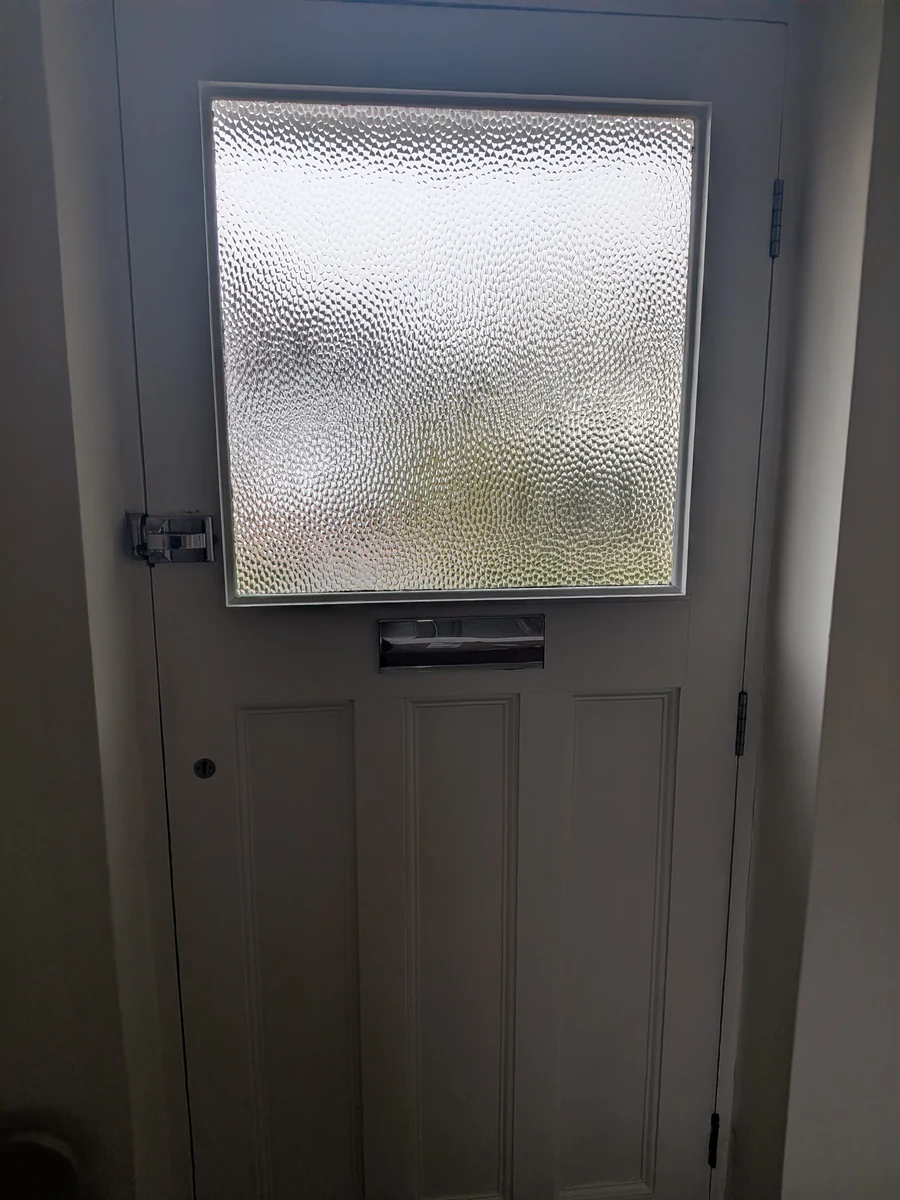
The glass is bright and detailed. The lower panels run out of the bottom of the frame. Whether that matters depends on what the photographer wants to show.
If the whole doorway is your subject, try leaving more room. If the glass texture is your subject, a deliberate closer view could tell a different story.
Keep the subject. Try two distances.

- Make a first frame. Choose a doorway or another ordinary subject you can photograph safely.
- Check all four edges. Is a useful part of the subject cut off? Is something distracting entering the frame? Name one thing you want to change.
- Move back a little. Keep the same subject and take a second photo from a safe, steady position. Check what has changed in the foreground and background.
- Compare both full photos. Open them at the same size rather than deciding from small gallery thumbnails. Finish: “I kept this frame because…”
More space is not automatically better. A close frame can emphasise a detail; a wider frame can explain its surroundings. Keep both versions while you decide.
Already have a photograph? Try the cropping exercise on a copy. A crop selects part of the existing image; it cannot recover anything outside the original frame.
Choose one original photo to enter
Pick a dated theme that is still open, read its prompt, take a photograph yourself, then sign in and upload it. The 7 October doorway example above is historical; it does not mean that challenge is still open.
After safety checks and AI judging, look in You → Your photos → Try this next for an available short tip. It does not depend on community votes. Checks and judging may be delayed; feedback is subjective.
Choose my first photo themeOriginal non-AI JPEG or PNG, up to 25 MB. Five uploads per selected challenge date, including replacements and rejected uploads. Deleting does not refund an upload; one photo can be active per date. Read the current rules, privacy information and age and parent-permission guidance. Only share a photo you are comfortable making public.