
Try one photographic choice
Free lessons for any phone or camera. Watch, pause and compare your own frames. No sign-in is needed for these exercises.
55-second photographic lesson
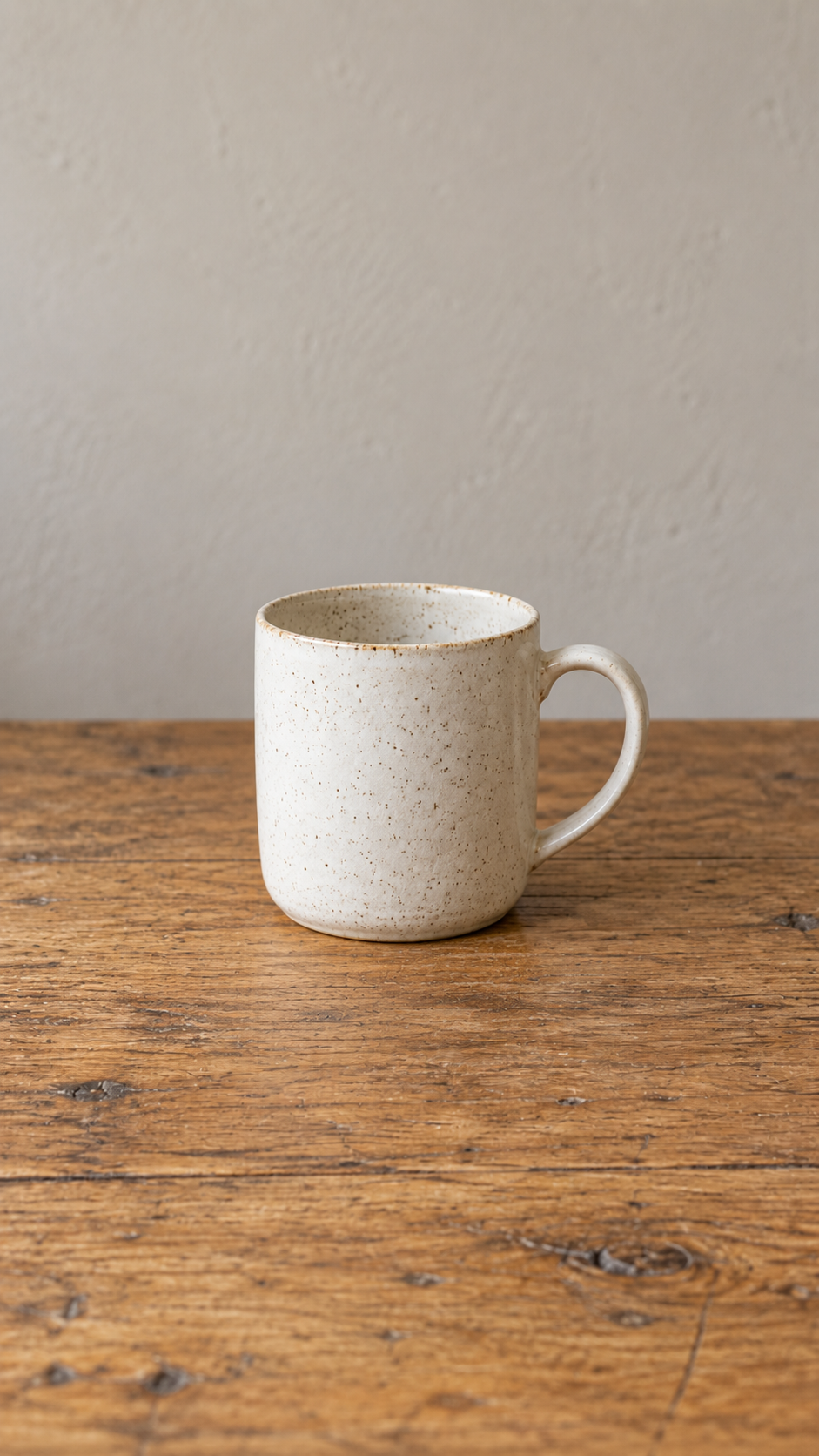
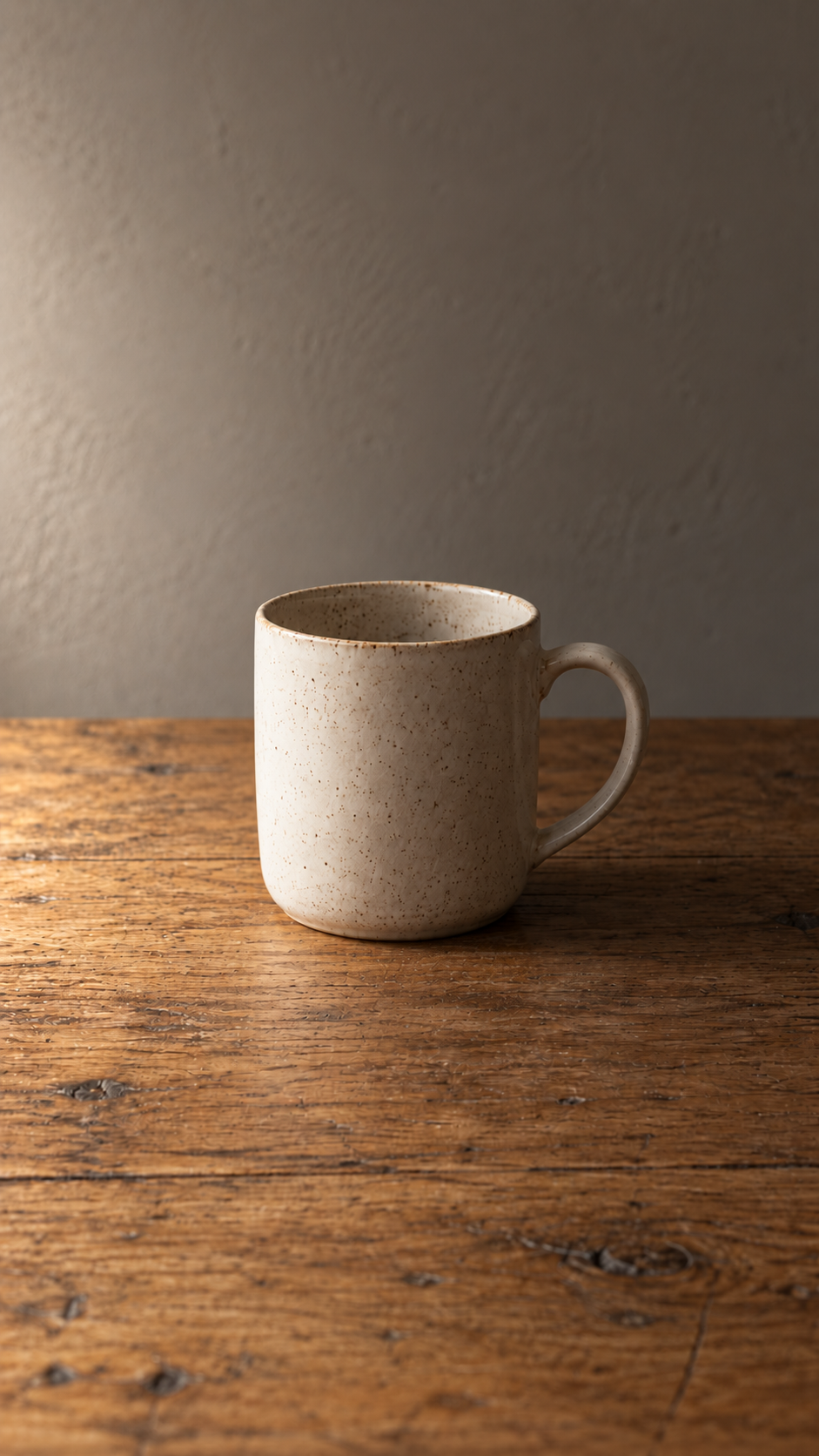
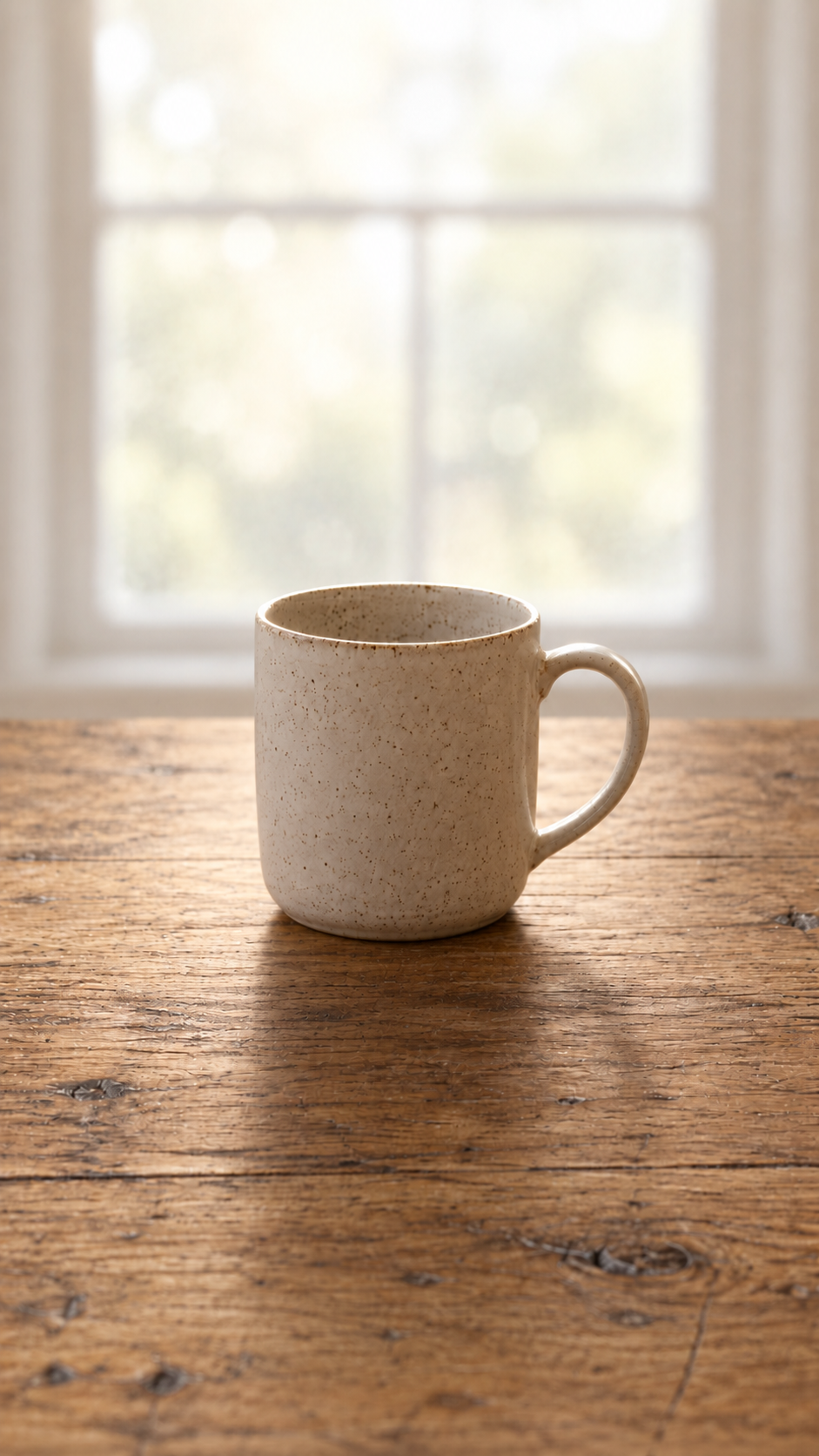
One mug.
Three moods.
A window and an everyday object are enough to explore what light can do. Watch the three examples, then make your own versions.
- Put the window behind your camera for front light.
- Move so the window is beside your subject for side light.
- Face the window with your subject between you and it for back light.
Keep a similar camera height and framing. If your phone allows it, lock exposure while comparing. Which version supports the mood you want?
AI-generated photographic illustrations, not an actual controlled camera experiment or competition entries. Real results depend on your window, surroundings and exposure. Each lighting example holds for about twelve seconds; you can pause anytime.
Try the three-question composition quiz82 seconds · illustrated practice
Choose your frame
Three visual questions about space, overlaps and contrast. You have 14 seconds to choose each answer and 10 seconds for each explanation.
Read the questions and explanations
- Space ahead: which right-pointing arrow has the most room in front of it? Answer B. More space can suggest room to move; a tight frame can create tension. Try both.
- Separate edges: which frame keeps the circle and triangle apart? Answer C. Check for edges that touch or overlap when you did not intend them to.
- Light-dark contrast: which grey circle stands out most from its background? Answer B, against white. Subtle contrast can serve a different idea.
There is no universal best composition. Make two photographs of one subject, change one choice and compare what it does.
Choose a short exercise
Each instruction screen stays for 10–14 seconds. Nothing plays or advances to another lesson automatically.
Check the whole photo40 seconds
Open the full photograph before deciding which frame to keep. A small gallery preview can crop the edges.
Try it yourself: Make one photograph with a useful detail near an edge. Compare its gallery thumbnail with the full image. What does the preview leave out?
Three shots for your next walk40 seconds
Find a detail, follow a line and photograph movement from a safe position.
Try it yourself: Keep all three frames. Write what each makes you notice; choose the one you would like to explore again.
One subject, two camera heights40 seconds
Change your viewpoint and compare what moves behind the subject. A lower view is one choice, not a rule.
Try it yourself: Take an eye-level frame and a lower frame from safe, steady positions. Which background supports your idea?
Check your background40 seconds
Notice an overlap, move a little and compare two frames. Some surroundings may be useful context.
Try it yourself: Before deleting either photograph, compare them at the same size. Name one visible change behind the subject.
Read the outline: silhouette photography60 seconds
Use a brighter background, separate nearby edges and compare two brightness choices.
Try it yourself: A window and an ordinary object are enough. Make two versions and choose how much detail your idea needs.
Find a colour echo48 seconds
Look for two different subjects with a shared colour. Compare a wider frame with a simpler one.
Try it yourself: Make a pair of photographs. What connects the subjects besides their colour?
One window, three light directions62 seconds
Compare front, side and back light using one everyday object and one window. The setup diagrams show a view from above.
Try it yourself: Keep the camera settings consistent where possible. Make three frames, then explain which lighting choice supports your idea.
Where to put the horizon60 seconds
Try more sky, more foreground and a central horizon. Compare what each frame emphasises.
Try it yourself: Keep all three photographs. Choose according to the idea you want to show, rather than treating one position as a rule.
Photo bingo: one line, three pictures60 seconds
Try the tiny detail, leading lines and movement row of our photo bingo card.
Try it yourself: Make one original photograph for each prompt from safe positions. Put the three together and discuss what makes them a set.
Take the lessons offline
The existing 12-video pack contains the illustrated exercises, both quiz formats, English captions and a player with pause controls. The new photographic window-light film is a separate download above. Extract the whole ZIP, then open “Start here - readable photography lessons.html”.
Download the 12-video pack (6 MB)Original teaching diagrams and generic synthetic English narration. These are practice exercises, separate from competition photographs. The pack’s product overview uses website details captured 30 September; themes and deadlines change. Its leaf artwork is the AI opponent and its A/B cards illustrate blind voting.
A slower look inside Beat AI
This 63-second overview uses enlarged website details captured 30 September. Themes and deadlines change; the leaf artwork is the AI opponent and the A/B cards illustrate blind voting.
How the daily challenge and blind vote work63 seconds
Ready for a dated brief?
Beat AI is a daily photography challenge in public beta. Original photographs face AI artwork in blind community votes. Read the current theme, rules and deadline before entering; sign-in is required to enter or vote.
Read the challenge guide